PURE / LAB Test build · not notarized · v0.8.0 (build 9)
Pure Clipboard
Pure Clipboard is a native macOS app with two parts. Pure Clipboard copies answers from AI tools and from Terminal, and can optionally keep a clipboard history on your Mac only. The Pure Remote tab receives and sends data with an Android phone: text through Termux, files through adb, in parts and checked with SHA-256. No account, no cloud and no analytics. A transfer to or from the phone starts only on your command.
Release candidate. Test build. The app is signed ad-hoc only and is not notarized by Apple, so macOS will block it on first launch. Verify the SHA-256 and follow the installation guide before opening it.
Your clipboard, history and phone in one window. Every screen is a real capture of the app, filled with sample data.
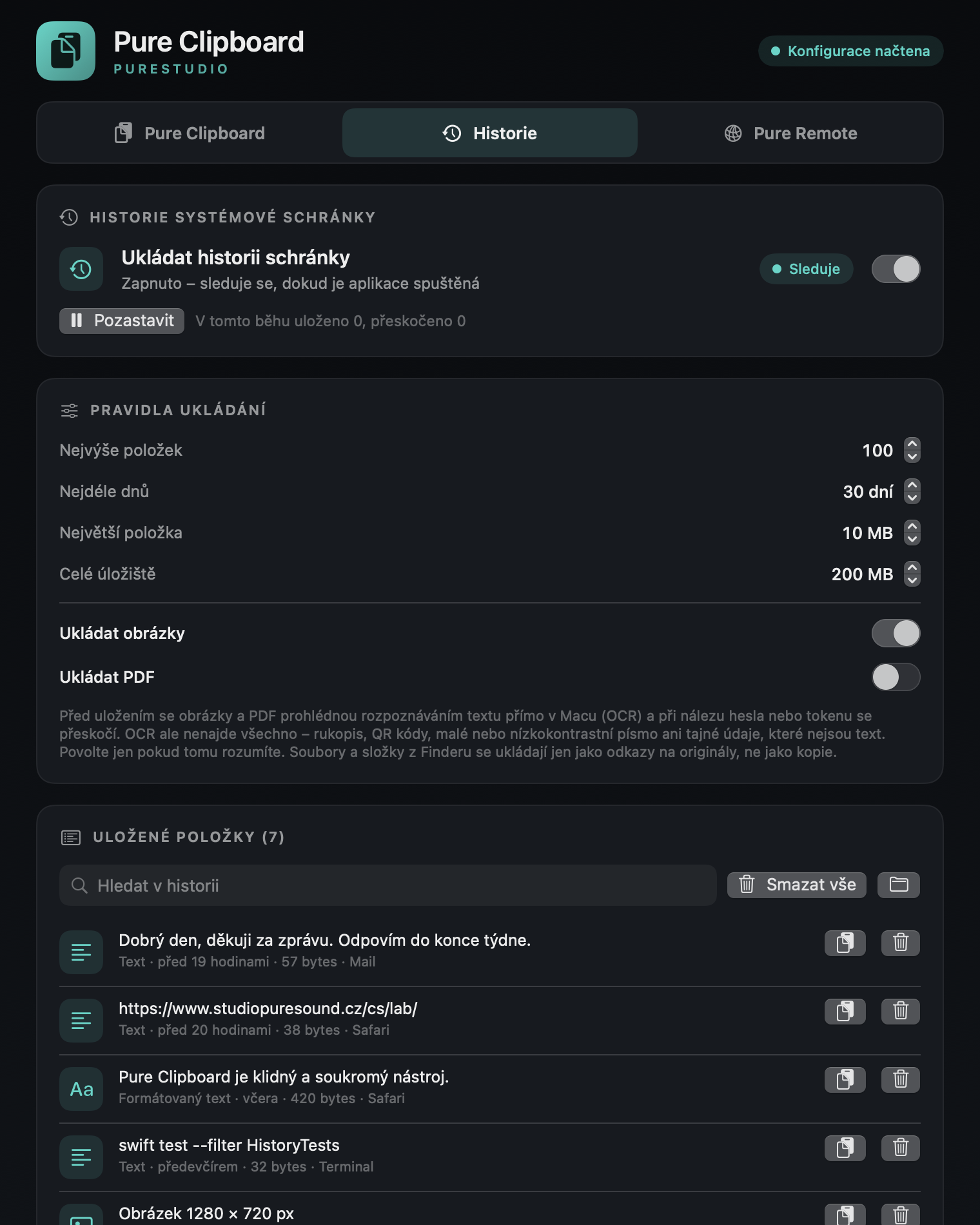
Copy on your command Answers from AI tools and Terminal land exactly where you need them. Nothing is copied without your decision.History off by default Your clipboard is not tracked until you switch history on. Your Mac, your rules.History that stays on your Mac Search, restore and delete. History is stored locally only, with limits you set.Pure Remote: your phone in one window Send files to your Android phone in chunks, verified with SHA-256 and pausable at any time. Mobile data only with your confirmation.
One shortcut, your whole history
Press ⌥⌘V and pick what you need. Enter copies the item to your clipboard. Nothing is pasted automatically.
⌥⌘V
Quick history straight from the keyboard. Available once history is switched on.
What you need
A Mac with Apple silicon (M1 or later). Intel Macs are not supported.
macOS 14 or later. The app has so far been verified only on macOS 27.
Optional, for automatic copying: Claude Code and/or the Codex CLI. In Codex the hook must be approved with Type in Codex:/hooks.
Optional, for Pure Remote: Tailscale installed and signed in, with the Paste into Terminal:tailscale command available.
Optional, for file transfer to an Android phone: adb (Android platform-tools) and a phone with USB or Wi‑Fi debugging enabled.
Optional, for text transfer with a phone: Termux, Termux:API, the openssh package and Tailscale.
Without these optional parts the app still works: manual copying, clipboard history (off by default) and the sensitive-data check.
Third-party software
Claude Code (Anthropic) ↗ — Optional. For automatic copying of answers. The app installs the hook into ~/.claude/settings.json only after you confirm.
Codex CLI (OpenAI) ↗ — Optional. For automatic copying of answers from Codex. After installing the hook, start Codex and approve it with Type in Codex:/hooks.
Tailscale ↗ — Optional. Needed for Pure Remote and for text transfer with a phone.
Termux and Termux:API ↗ — Optional. Only for text transfer between a phone and the Mac on your command.
Version history
v0.8.0 · build 9
In development
Test build 9 with the MIT licence: LICENSE inside the app.
File transfer from Mac to phone in Pure Remote: in parts, can be paused, checked with SHA-256, and mobile data is only used after confirmation.
v0.7.0
In development · 2026-10-30
System clipboard history, off by default. Local storage, search, delete and limits.
Protection of sensitive data: text scanning and OCR of images and PDFs only with separate consent.
v0.6.0
In development
Text transfer between phone and Mac on explicit command.
v0.5.0
In development
Pure Remote: Tailscale network overview; distribution preparation.
Report a bug
If the app does not work as described, tell us. A GitHub form opens where you describe what happened and paste the error text. Do not include passwords, tokens or personal data. You need a GitHub account to submit.